
Every order in one list
Besides phone orders, orders from your ORSYS restaurant website and from Foodora, Wolt, Éhenhalok and Falatozz arrive here too. A sound signals each new online order until you accept or reject it.
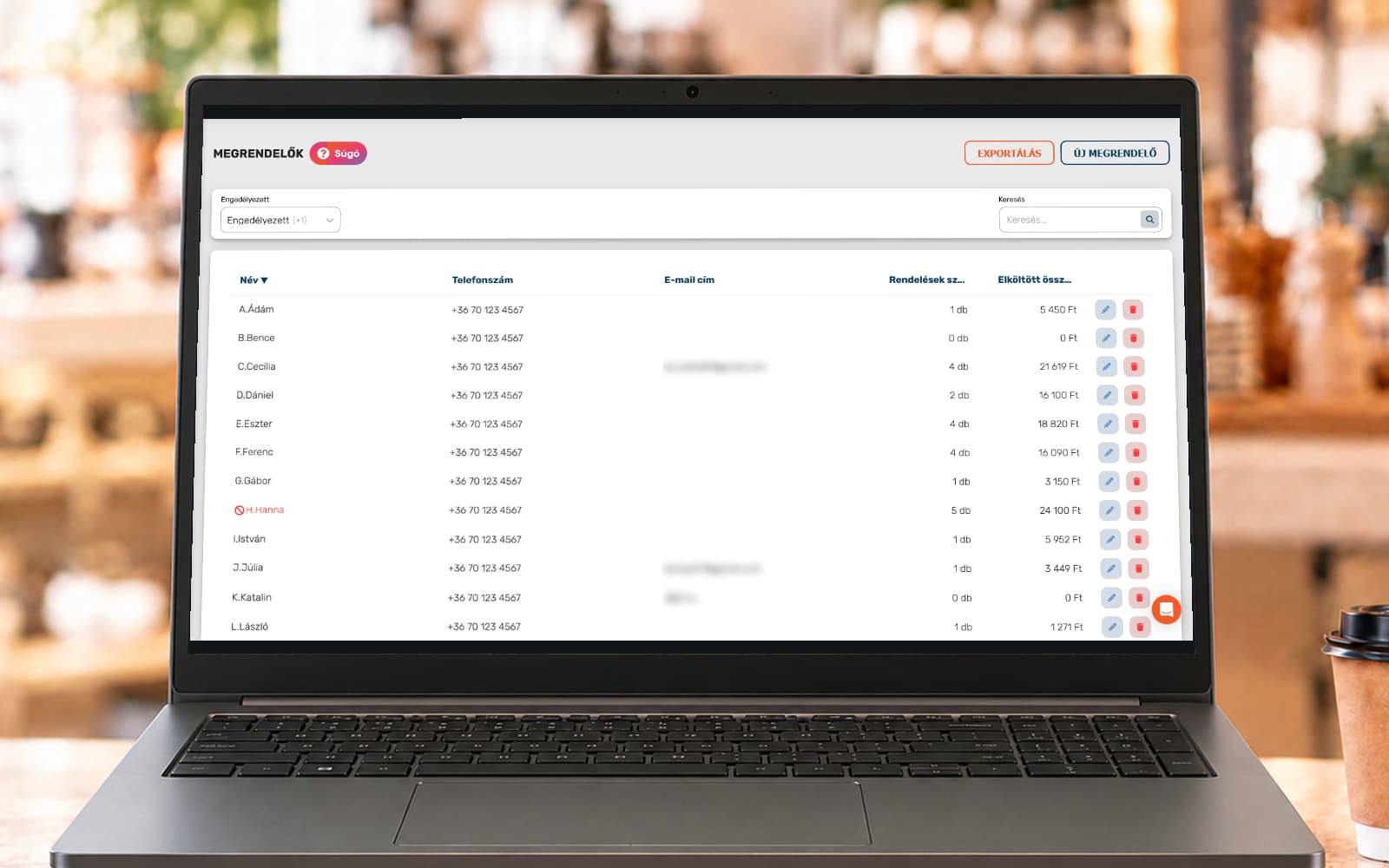
ORSYS saves the customers of phone, website and portal orders to your restaurant's customer database. When the same phone number orders again, the order goes to the existing customer.
The customer list in the admin interface shows their name, phone number, e-mail address, number of orders and amount spent. You can search and sort it, and export the list to a CSV file.
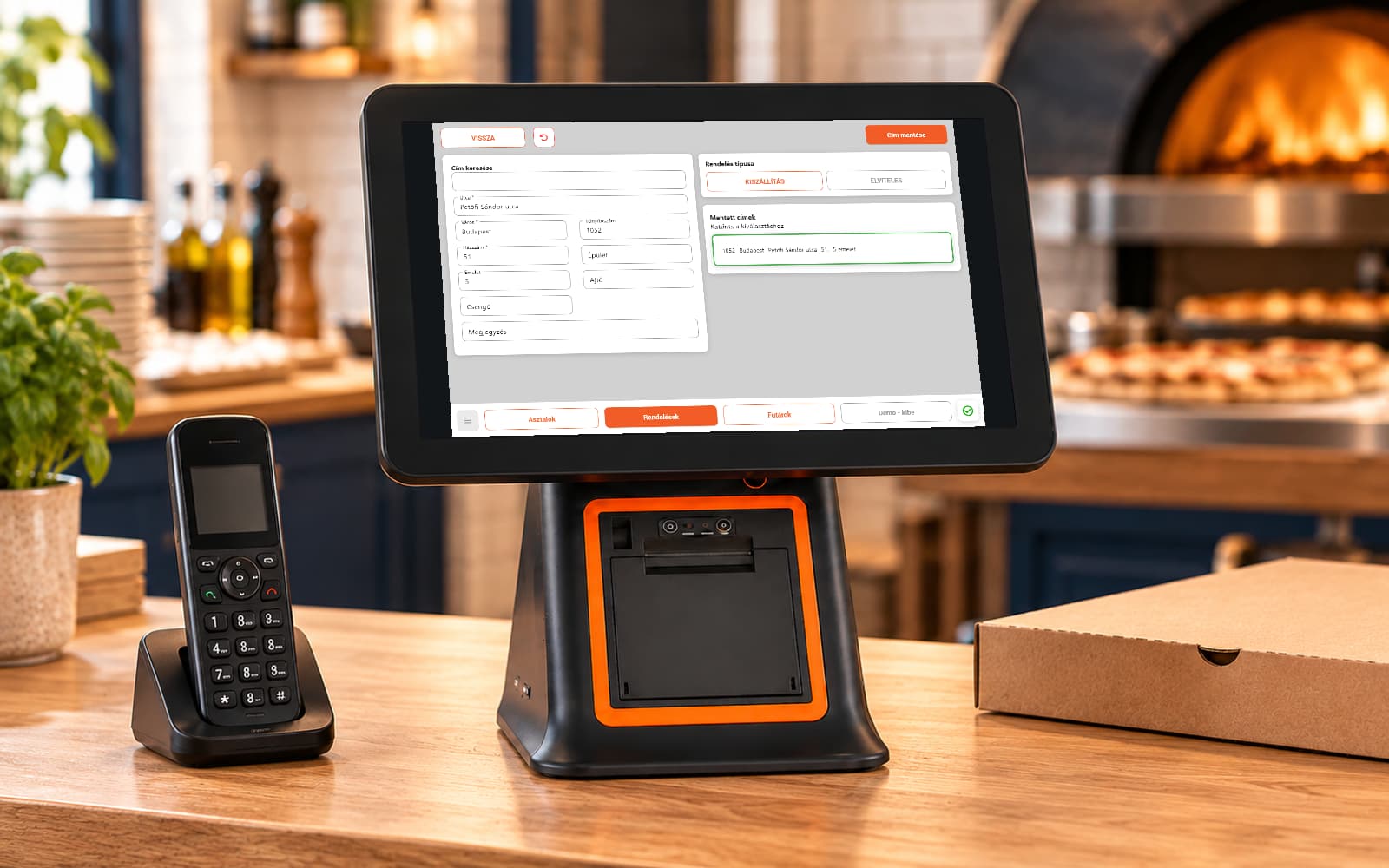
On the POS's Orders screen, click the Order button to start taking the order. By default you can take delivery orders, and if you turn it on, takeaway orders too.
Type the guest's name, phone number or e-mail address, and the system immediately suggests matching saved customers. For a new customer enter all their details, and ORSYS saves them to the customer database, so next time they come up as a match automatically.
Pick one of the customer's saved addresses, or add a new one with the address search, including building, floor, door, bell and a note. The system finds the address's delivery zone and adds the zone's fee.
After the items, choose the payment method and, if needed, add a note, VAT invoice details and the requested delivery time. When you finish, the POS prints the ticket if you set it to.
Delivery orders and the customer database are part of the Basic and Premium packages at no extra charge, if your restaurant offers delivery.
Besides phone orders, orders from your ORSYS restaurant website and from Foodora, Wolt, Éhenhalok and Falatozz arrive here too. A sound signals each new online order until you accept or reject it.
Orders requested for later wait at the top of the list in the scheduled orders group, and a switch hides the ones for later days. You can take such orders by phone too, and you set how many days ahead.
In the admin interface you can filter delivery orders by source, status, payment method, zone and period. On a customer's page you can edit their contact details and their delivery and billing addresses with company name and tax number, and see their previous orders.
If you had a bad experience with a customer, put them on the blacklist on the POS or in the admin interface. On their next order your colleague sees a warning and decides whether to accept it.
For a phone order the system picks the delivery zone from the address and adds the zone's delivery fee. If it finds no zone, your colleague chooses one from the list.
Assign the orders ready for delivery to a courier on the POS's Couriers screen, several at a time. At the end of the shift you generate the courier settlement on the POS too.
A fast, clear system. It is good to work with.
The software is great and super easy to use. The team is helpful and responds quickly to pretty much everything.
You are helpful, and the software is easy to use.
Getting started was a little bumpy, but we received all the help we needed to overcome the initial difficulties! I wholeheartedly recommend the ORSYS team!
Great software at a great price. Fast technical support. Convenience of the establishment of products and recipes. I recommend!
You entered the market in a way that puts bigger, longer-established companies to shame. You really belong here.
None of our partners have regretted joining, so we invite you to try it free. Contact us: our team can demonstrate the software in person or provide demo access.