

Delivery area management

Draw on a map where you deliver and divide it into zones. Each zone has its own delivery fee, minimum order value and delivery time, and when an order comes in the system picks the zone from the address.

  • Each zone has its own fee, minimum and time
  • The system picks the zone from the address
  • Prepare the new area beside the current one
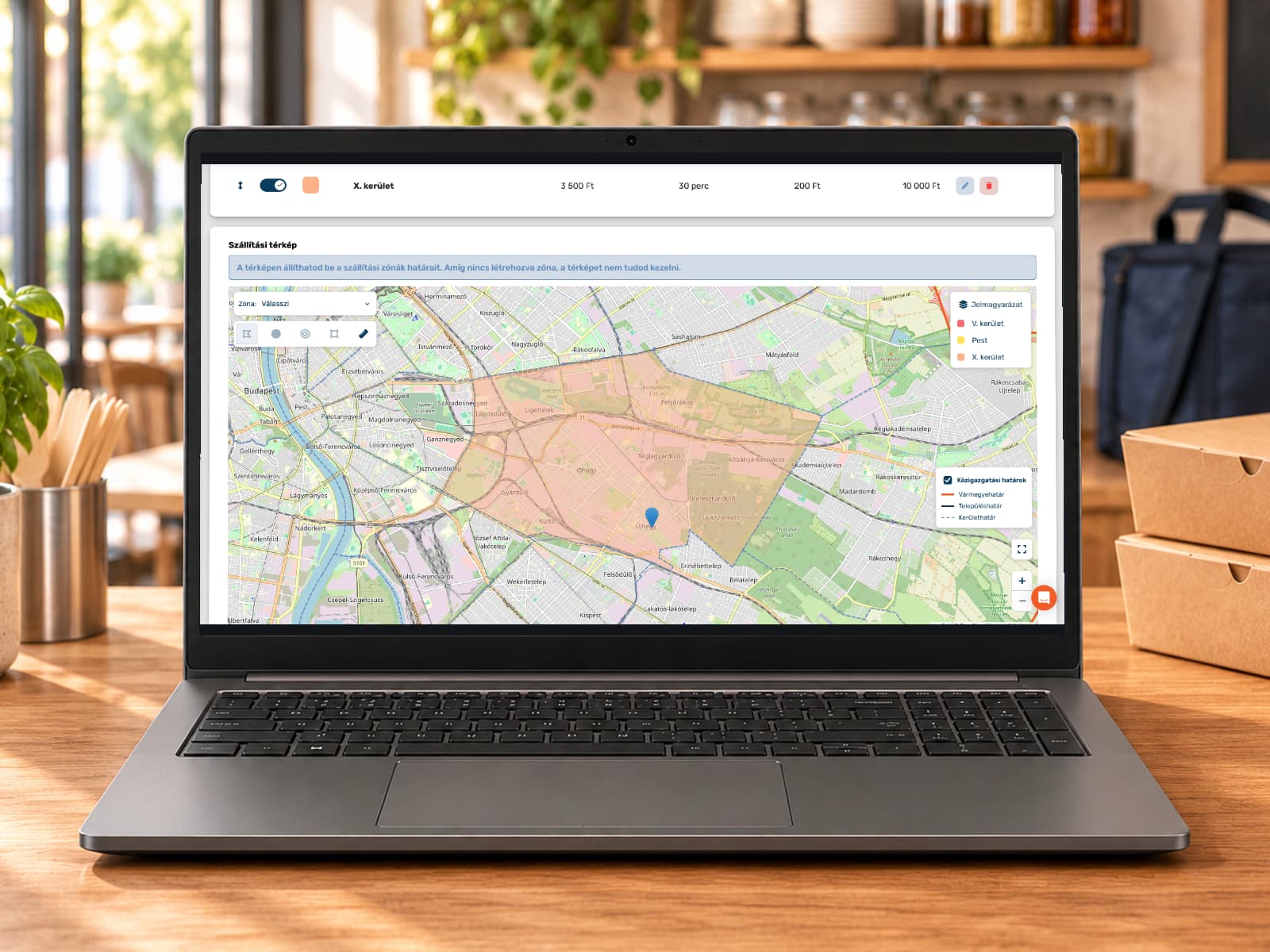
A laptop on a restaurant counter showing the delivery map of the ORSYS admin interface with a drawn delivery zone

The address decides the delivery fee

For a phone order the dispatcher types the address or picks one of the guest's saved addresses. The system finds the zone it falls in and adds the zone's delivery fee to the order. If it finds no zone for the address, the dispatcher chooses one from the list.

On an ORSYS restaurant website the guest sees the fee that applies to their own address. The cart shows how much is missing to reach the minimum order value and free delivery. The website does not accept a delivery order to an address outside every zone.

  • Where zones overlap, the one higher in the list applies
  • The order's details show the zone name
  • A map on the website's information page shows your zones
Map with a location pin

How to set up your delivery area

  1. Create the zones

    Each zone gets a name and a colour, with a delivery fee, a minimum order value and a delivery time. If you also set a free delivery threshold, the system charges no delivery fee on phone and website orders that reach it.

  2. Draw them on the map

    Follow the streets point by point, or draw a circle or a rectangle. Draw the circle with two clicks or with a radius given in kilometres; the distance tool shows the straight-line distance between two points. In Hungary you can switch on county, municipal and Budapest district boundaries as guide lines.

  3. Put overlapping zones in order

    If an address falls into two zones, the one higher in the list applies to it. Drag the smaller zone tailored to the city centre above the large zone covering the city.

  4. Activate it when it should go live

    You can build a second area beside the current one, empty or as a copy of the existing one. Until you activate it, orders follow the old area. After activation the POS and the website use the new one.

Zones in day-to-day work

Delivery area management is part of the Basic and Premium packages at no extra charge, if your restaurant offers delivery.

A zone tied to days and hours

Set a zone to be served only on certain days and within one time window, for example the neighbouring town only at weekday lunchtime. Outside it the website does not accept delivery orders there and tells the guest when you deliver to their address. On the POS a warning alerts the dispatcher.

Switching a zone off

If you stop delivering to a zone for a while, switch it off. The system then does not pick it for orders, and it does not appear on your website. The drawn boundary stays, so you can switch it back on at any time.

Zone courier fee

Set for each zone how much the courier earns for a delivery. With zone-based courier settlement the system calculates every address with its zone's amount.

A heatmap of your orders

In the statistics a heatmap shows where most delivery orders came from in the chosen period. You see which neighbourhoods are strong and where advertising or a wider area is worth it.

Orders by zone

In the admin interface you can filter delivery orders by zone and export the filtered list to a CSV file.

Several venues, areas you can copy

Each of your venues has its own delivery area. You can copy a finished, active area with its zones and boundaries to another venue and adjust it there.

What our customers say

  • A fast, clear system. It is good to work with.

    Népkerti falatozóHornyákné Beáta
  • The software is great and super easy to use. The team is helpful and responds quickly to pretty much everything.

    Que PastaKnoll Péter
  • You are helpful, and the software is easy to use.

    La Fermata PizzériaCzeilinger Ferenc
  • Getting started was a little bumpy, but we received all the help we needed to overcome the initial difficulties! I wholeheartedly recommend the ORSYS team!

    A Haverom BurgerházaHorányi Sándor
  • Great software at a great price. Fast technical support. Convenience of the establishment of products and recipes. I recommend!

    Bárom BárFedchenko Maxim
  • You entered the market in a way that puts bigger, longer-established companies to shame. You really belong here.

    Faya BakerySoós Péter
All reviews

Try it without obligation

None of our partners have regretted joining, so we invite you to try it free. Contact us: our team can demonstrate the software in person or provide demo access.

Request a free demo