
Sign up

Table service

The waiter picks the table on the POS, takes the order and sends the kitchen what it needs. At payment time the party pays together, or you divide the items into split bills.

  • A table list or a table map for each room
  • New items preselected on the kitchen ticket
  • Split bills, several payment methods, service charge
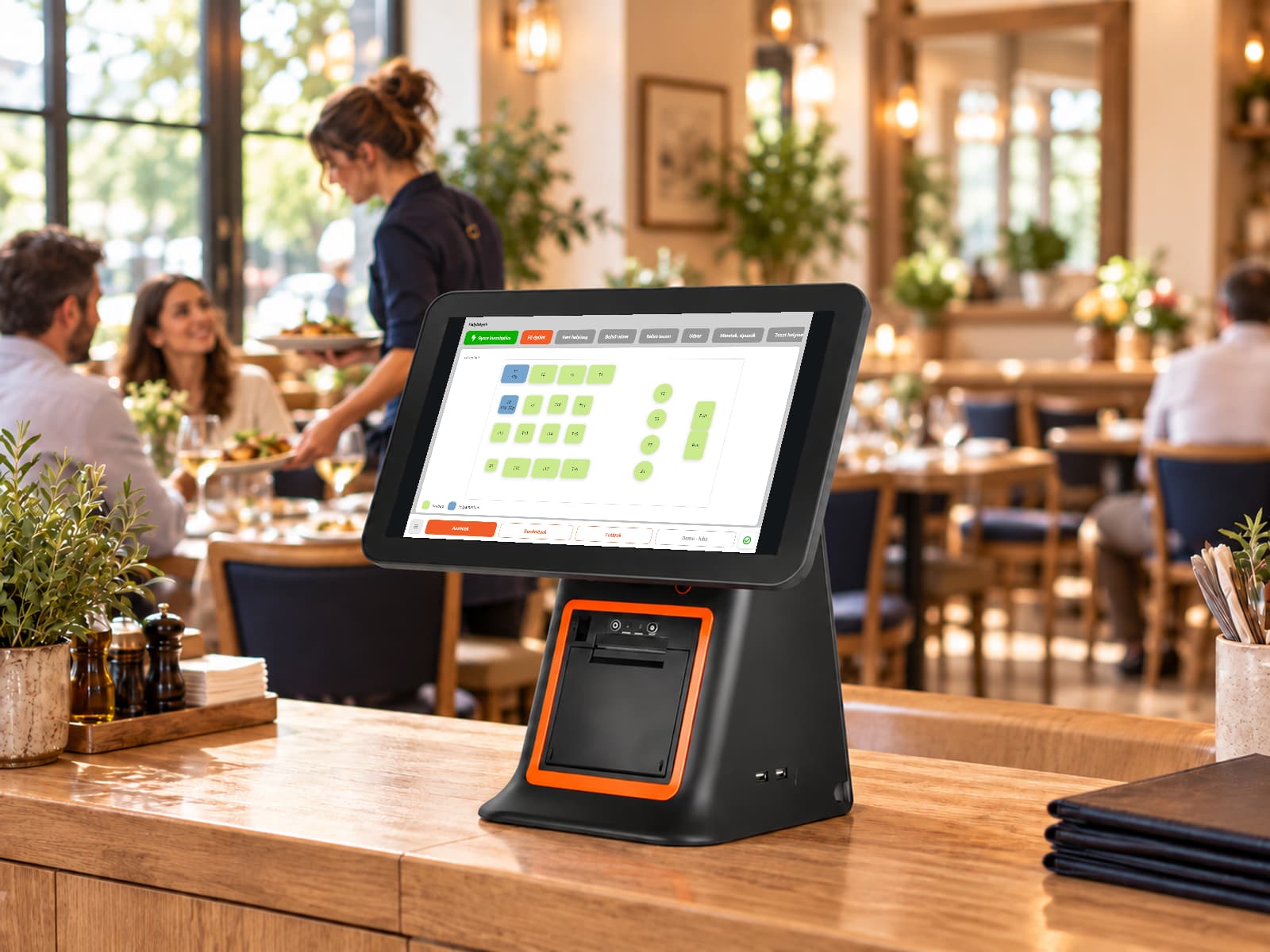
A touchscreen ORSYS POS with a built-in printer on a restaurant counter, with guests and a waiter in the background

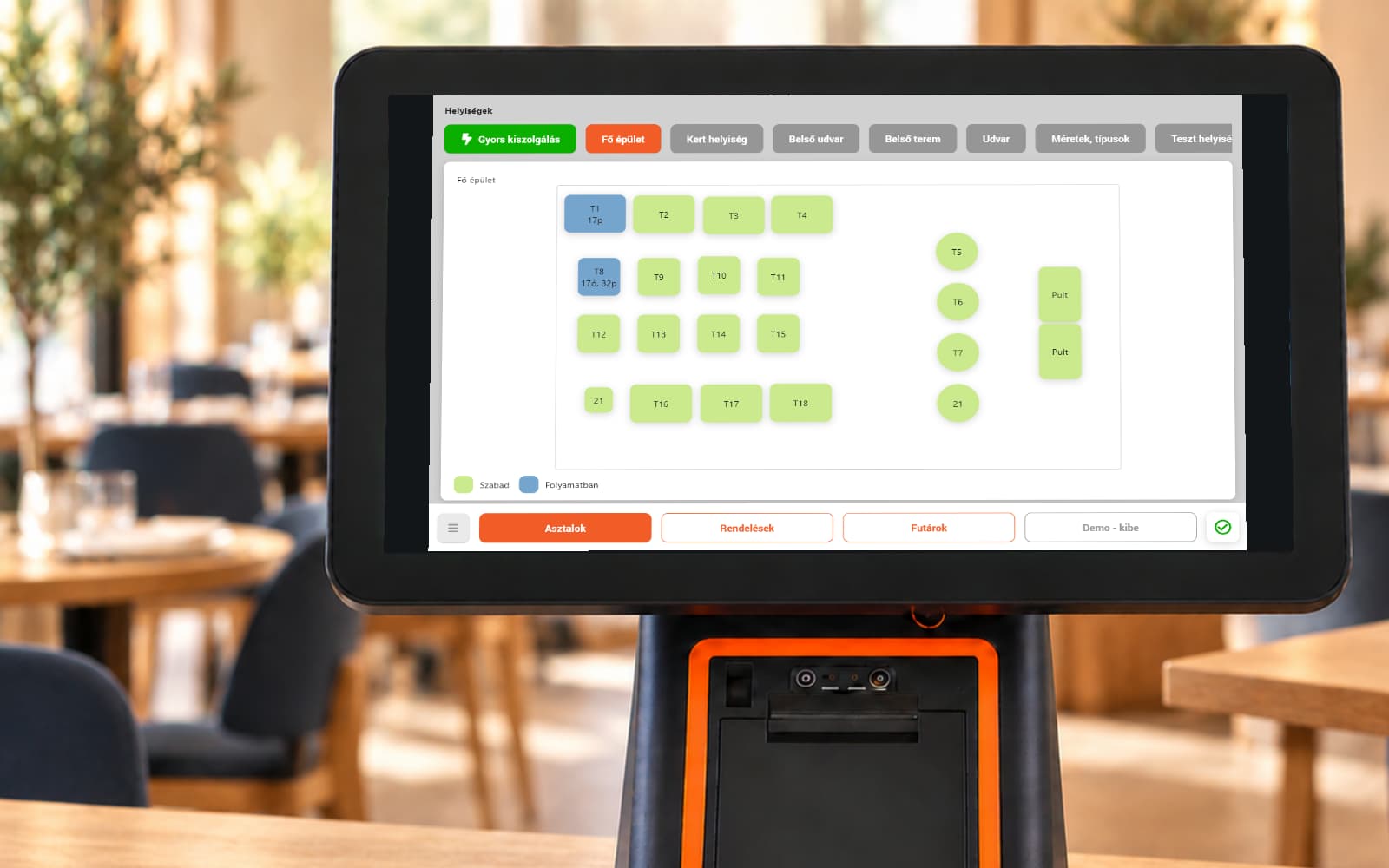
One look shows you who is sitting where

On the table map a free table is green and a table in progress is blue, and each one shows the table's name and how many minutes ago its order started. You switch between rooms with one button, so the tables of different rooms stay apart.

If you work on several POS devices, the table orders appear on all of them. If the internet connection drops, you can still take and manage orders on the POS, but the other devices receive them only once the connection is back.

  • Free tables green, tables with an order blue
  • A separate view for each room
  • The same orders on every POS device
A table map on the ORSYS POS screen

How a table goes from opening to payment

  1. Lay out your tables

    In the admin interface, choose whether you want to work with a simple table list or a table map. Then you create rooms, such as a terrace or a main dining room, and add the tables. With the table map you can set each table's shape and size, and drag it to the part of the room where it actually stands.

  2. Open the table

    On the POS you simply tap the table and can start taking the order. For each product you can choose toppings, the quantity, a half portion where it is set up, and add a note for the kitchen.

  3. Send it to the kitchen

    On the kitchen ticket, items not yet printed are preselected and earlier printed items are listed separately. If you assign preparation locations to products, such as the bar or the pizza kitchen, each item goes to its own printer.

  4. Let guests pay together or apart

    With the Split bill button you move items to separate bills, and you can split an item ordered in several pieces piece by piece. One bill can be paid with several payment methods, in parts. Once every bill is settled, the order closes and the table is free again.

What matters to your waiters and to you

Table service is part of the Basic and Premium packages at no extra fee. The Mini package is designed for quick counter service.

Table list or table map

With a few tables a simple list is enough. The table map shows the tables where they stand in the room, in four shapes and four sizes. You can rearrange the layout in the admin interface at any time, for example before an event.

Guests change tables

If the party moves, you transfer the whole order to a free table, even in another room. On the new table everything continues where you left off.

Service charge

Set the service charge as a percentage and whether it is on the bill by default. At payment it can be switched on or off for each bill. The daily settlement shows it on a separate line, and the service charge report breaks it down by VAT rate.

Discounts and tips

Give a discount on the whole order and, if you allow it, on single items, with a preset or a custom percentage. If you turn on tips and the guest hands over more, one button decides whether the difference is a tip or change.

Summary before payment

The Summary button prints what the table has had, and the order stays open. At payment you can also print the summary of the selected bill.

Controlled deletions

You can require a manager PIN for deleting an item already entered. Every order records who took it, and in the admin interface you can look orders up filtered by table or waiter.

What our customers say

  • A fast, clear system. It is good to work with.

    Népkerti falatozóHornyákné Beáta
  • The software is great and super easy to use. The team is helpful and responds quickly to pretty much everything.

    Que PastaKnoll Péter
  • You are helpful, and the software is easy to use.

    La Fermata PizzériaCzeilinger Ferenc
  • Getting started was a little bumpy, but we received all the help we needed to overcome the initial difficulties! I wholeheartedly recommend the ORSYS team!

    A Haverom BurgerházaHorányi Sándor
  • Great software at a great price. Fast technical support. Convenience of the establishment of products and recipes. I recommend!

    Bárom BárFedchenko Maxim
  • You entered the market in a way that puts bigger, longer-established companies to shame. You really belong here.

    Faya BakerySoós Péter
All reviews

Try it without obligation

None of our partners have regretted joining, so we invite you to try it free. Contact us: our team can demonstrate the software in person or provide demo access.

Request a free demo

Request a callback

Enter your name and phone number, and a colleague will call you back in the time slot you choose.

When should we call?

We handle your data as described in the privacy notice.