
Ingredients and locations
Enter your ingredients once, then see how much of each is in every location and what the whole stock is worth. The system flags any ingredient that falls below the minimum you set.
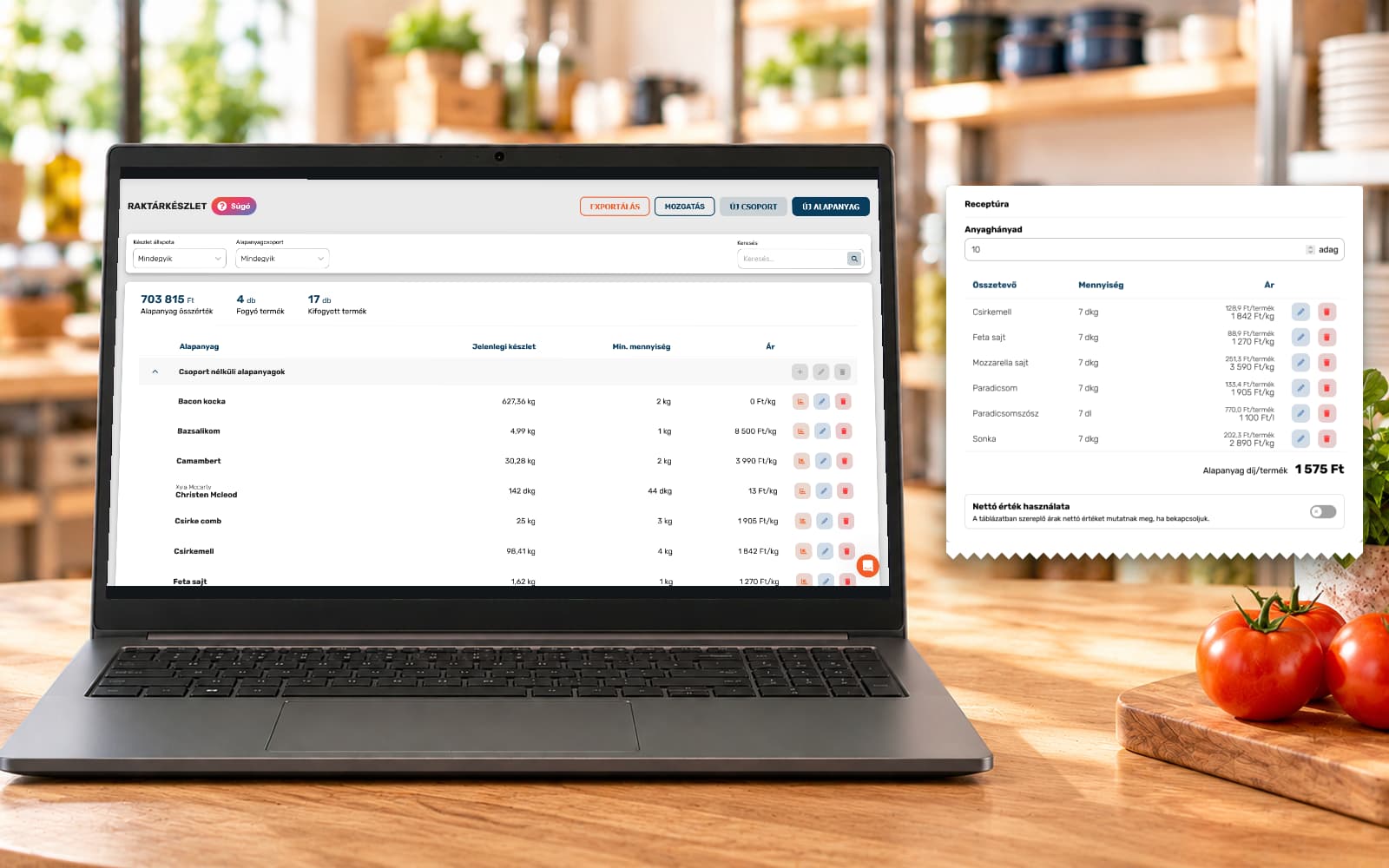
Every dish and drink sold reduces stock according to its recipe, including orders from delivery portals and your own website. Goods receipts increase stock, and waste is recorded with its reason.
A stocktake compares this calculated stock with what is on the shelf. You see the difference for each ingredient, in quantity and in forints.

Stocktaking is done in the ORSYS POS and needs an internet connection. Starting it records the calculated stock, so it is best to begin after closing time.
Every location has its own list, for example the storeroom, the bar and the kitchen, and you can filter by ingredient group. Several colleagues can record from several devices at once, and the quantities they enter appear on the other devices too.
Enter the unopened bottles, then the weight of the opened bottle as measured on a scale. The system calculates what is left from the full and empty weights stored for the ingredient and adds it to the quantity.
A closed stocktake cannot be changed, and stock is adjusted to the counted quantity. You can review every earlier stocktake in the admin interface at any time.
Calculated stock needs an ingredient list, recipes and goods receipts, so they are part of the add-on too. It is included in the Premium package and can be subscribed to alongside the Mini and Basic packages.
Enter your ingredients once, then see how much of each is in every location and what the whole stock is worth. The system flags any ingredient that falls below the minimum you set.
Set for every product what goes into it and how much. Record pizza sauce or mashed potato once as a prepared item, and every product that uses it calculates with it.
From the recipe and the purchase prices the system calculates what the ingredients of one portion cost. The statistics show the number sold and the profit rate for each product.
When a delivery arrives, record on the POS or in the admin interface what came, how much, to which location, at what price and from whom. In the admin interface you can also find the ingredient with a barcode reader. A chart shows how the purchase price changes.
Remove expired, damaged or spoiled ingredients from stock with a reason, on the POS or in the admin interface. You can make the reason mandatory.
Choose whether colleagues see the calculated stock, the difference and its value while counting. If they cannot see how much there should be, they enter what they counted.
A fast, clear system. It is good to work with.
The software is great and super easy to use. The team is helpful and responds quickly to pretty much everything.
You are helpful, and the software is easy to use.
Getting started was a little bumpy, but we received all the help we needed to overcome the initial difficulties! I wholeheartedly recommend the ORSYS team!
Great software at a great price. Fast technical support. Convenience of the establishment of products and recipes. I recommend!
You entered the market in a way that puts bigger, longer-established companies to shame. You really belong here.
None of our partners have regretted joining, so we invite you to try it free. Contact us: our team can demonstrate the software in person or provide demo access.